BedWars Beginner Guide
October 30, 2026 · 5 min read
On this page
In your first matches, buy Leather Armor, a Stone Sword and wool, cover your bed, then go get diamonds. Keep your bed alive and you can keep respawning. Once it is gone, your next death puts you out of the match.
How a match works
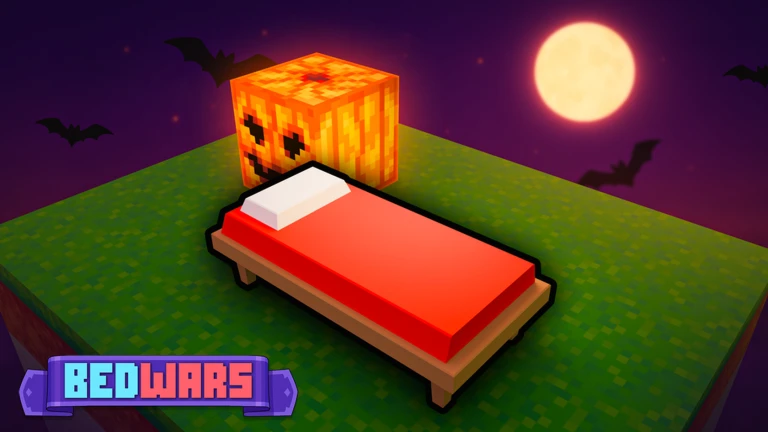
The BedWars page on Roblox sums it up: protect your bed, gather resources to buy items and team upgrades, and destroy enemy beds and eliminate players to win.
Press Quickplay in the lobby to find a game. Classic Squads has 4 teams of 4 players. Each team starts on an island with a bed, a Team Generator, an Item Shop and an Upgrade Shop. Falling into the void between islands kills you.
What each resource does
| Resource | Where it comes from | What it buys |
|---|---|---|
| Iron | Your Team Generator | Basic gear, blocks and tools |
| Diamonds | Middle islands, or your own generator after an upgrade | Team upgrades |
| Emeralds | Middle islands, or your generator at the top upgrade | Top armor and swords |
The Team Crate and your Personal Chest (press F) can also hold free items, so check them. Press C or use the "Go to base" button to teleport home. Stay still and avoid damage until the countdown ends.
Controls on PC
The game page lists these. You can change them in settings.
| Key | Action |
|---|---|
| Shift | Sprint |
| E | Open inventory |
| H | Drop item |
| G | Ping |
| Tab | Scoreboard |
| Ctrl | Lock camera |
| T | Emote wheel |
Mobile button size and position can be changed in settings too.
What to buy first
These prices come from one fan guide that checked them in game on October 4, 2026. Weekly updates can change them, so check the shop.
| Item | Cost |
|---|---|
| White Wool (16 blocks) | 8 iron |
| Stone Sword | 20 iron |
| Stone Pickaxe | 20 iron |
| Leather Armor | 50 iron |
| Iron Sword | 70 iron |
| Iron Armor | 120 iron |
| Diamond Sword | 4 emeralds |
| Diamond Armor | 8 emeralds |
A good order for a new player:
- Leather Armor, Stone Sword and wool.
- Stone Pickaxe, so you can break through enemy defenses.
- Iron Sword and Iron Armor as your iron comes in.
- Diamond gear once you can reach the middle islands safely.
In the Item Shop, click an item and then press the green Purchase button. Forgetting this step is a common beginner mistake.
Protect your bed
Cover every side of your bed. Attackers look for the side you missed. A common layered setup, starting closest to the bed, looks like this.
| Layer | Material | Cost |
|---|---|---|
| 1 | White Wool | 8 iron for 16 |
| 2 | Oak Plank or Stone Brick | 14 iron for 8, or 40 iron for 16 |
| 3 | Blastproof Ceramic | 16 iron for 4 |
| Late game | Obsidian | 1 emerald for 4 |
Different materials are better than one thick wall of the same block. Enemies have to deal with each layer in turn. Start small with wool so you still have iron for gear, then add layers later.
Spend diamonds on team upgrades
Walk up to the Upgrade Shop and press E. These Tier 1 costs come from the same fan guide, so check them in game.
| Upgrade | Tier 1 cost | What it does at Tier 1 |
|---|---|---|
| Bed Alarm | 2 diamonds | Warns you when enemies are near your bed |
| Diamond Gen | 3 diamonds | Your generator starts making diamonds |
| Break Speed | 3 diamonds | You break blocks faster |
| Team Gen | 4 diamonds | Your generator runs faster |
| Armor | 4 diamonds | More armor for the team |
| Damage | 5 diamonds | More damage for the team |
| Bed Barrier | 5 diamonds | A barrier protects your base for 3 minutes |
Buy Diamond Gen first, because it keeps paying off all match. Then get Team Gen if you keep running out of iron, or Armor if you keep losing fights. Grab Break Speed if your team is about to rush a bed. Save Bed Barrier for when an enemy team is about to attack.
Crossing to other islands
Build bridges with wool, usually on hotbar key 3. Never walk past your last block. Fight on your own bridge when you can and stay away from edges, since one knockback can drop you into the void. Carry spare wool so you can get home.
Kits
Kits give you an ability and often special shop items. One fan wiki lists 115 of them, mainly sold for Robux, with some free each week. You do not need a paid kit to learn the game. Use the weekly free ones, and try them in Practice mode, which has a Change Kit button. Pick one and learn what it is meant to do before switching.
How to win more games
- Break beds before chasing kills. A team without a bed can't respawn.
- Keep collecting iron early. Do not leave your generator alone for too long in the opening minutes.
- Talk with your team using pings. Press G to mark things for your teammates.
- Play it safe once your bed is gone. Your next death ends your match, so do not take risky fights.
Common mistakes
- Canceling the search by clicking the X on the search banner.
- Leaving a shop menu open while someone attacks you.
- Holding the wrong item when a fight starts.
- Fighting next to an edge.
- Spending all your iron on bed defense and having no gear.
How up to date is this
The goal, controls and update schedule come from the official Roblox page, which says updates arrive every Friday. Prices and upgrade details come from one fan guide checked in early October 2026. Kit details come from a fan wiki. Treat all numbers as a guide and go by what the in-game shop shows.