Tower of Hell Beginner Tips
October 30, 2026 · 5 min read
On this page
The best beginner tip is to slow down. Turn on Shift Lock, look at each section before you jump, and stop on safe platforms. There are no checkpoints, so one rushed jump can cost you the whole climb.
How a round works
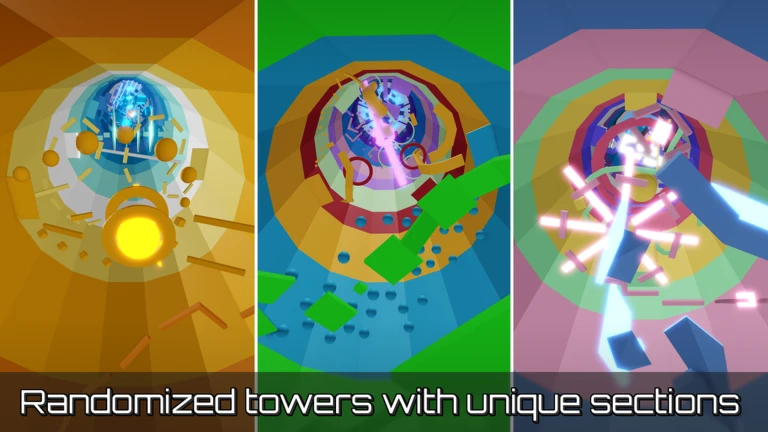
The official game page describes Tower of Hell as a randomly generated obby with no checkpoints at all. Fall too far or touch a kill part and you start again from the bottom. A new tower is built for the next round, so you learn skills rather than one route.
Guides disagree on the timer. One says 6 minutes for a Normal Tower and 8 for a Pro Tower, while another says a common setup starts at 8 minutes. Just read the timer on your screen. When someone reaches the top, the countdown speeds up for everyone else still climbing.
Normal Towers are the default. One guide says they have 6 sections and Pro Towers have 12. Stay on Normal until you can finish it fairly often.
Set up your controls
Do this before your first climb.
| Action | Control |
|---|---|
| Move | W, A, S, D |
| Jump | Spacebar |
| Shift Lock on or off | Left Shift, once enabled |
| Look around freely | Hold right mouse button with Shift Lock off |
To enable Shift Lock, press Esc, open Settings, and turn on Shift Lock Switch. It locks your character to the camera, so your jumps go exactly where you are looking. Almost all of the tips below work better with it on.
Movement tips
- Scout first. Turn Shift Lock off and look around to plan your route. A few seconds of looking saves a whole climb.
- Line up before you jump. Face the platform straight on and make sure you can see where you will land.
- Use the ladder at the start. One guide says the starter ladder is quicker than the stairs. Another suggests timing jumps up the long staircase on the side. Try both and keep the one you find easiest.
- Hug the inside of corners. The inside edge is the shortest and safest line around a corner.
- Check lasers with your camera. Line your camera up with your character's head. If the laser is above you, walk under it. If it is down at foot level, jump over it.
- Time moving hazards. If you are not sure of the timing, stand somewhere safe and watch one full cycle before you go.
- Try standing jumps in tight spots. Jump first, then press a direction. This gives you a smaller, more controlled jump near kill parts.
- Take small gaps slowly. Shuffle sideways and judge the distance. You do not need to jump for every gap.
- Practice truss jumps. Some sections ask you to jump off a truss to a platform behind you. Turn Shift Lock off, look behind you, and then jump.
After you fall
Do not jump straight back in with the same mistake. Ask what went wrong: timing, your angle, your camera, or the hazard's cycle. Change just one of those on the next try.
Lower parts of a tower can sometimes catch a fall, so do not stop trying if you slip. You may lose only part of your progress.
Also try to ignore the timer. Rushing leads to panic mistakes. If the round ends, a new tower appears and you get another go.
Coins and XP
Coins come from climbing, and higher progress generally pays more. One guide gives these numbers, but it is the only source we found for them, so check them in game.
| Tower | Coins listed | XP listed |
|---|---|---|
| Normal | 100 | 100 |
| Pro | 250 | 250 |
The same guide says you keep coins for sections you finish, even if you leave early, but XP is only paid at the end of a full round. So stay until the round ends when you can.
Gear and mutators
You can spend coins in the shop, known as Pyx's Gears. Gear only lasts for the round you buy it in, so do not use all of your coins at once. Keep some for when you really want to finish a climb.
These prices come from one guide dated June 2026, so check the shop first.
| Gear | Coins | Use |
|---|---|---|
| Hourglass | 3,000 | Slows the timer |
| Jump Coil | 4,000 | Higher jumps |
| Hook | 5,000 | Movement tool |
| Gravity Coil | 6,000 | Lower gravity, suggested first buy |
| Speed Coil | 8,000 | Faster movement |
| Fusion Coil | 10,000 | Gravity and speed together |
One useful rule is to buy gear only when you can name the problem it solves. Gear can hide movement mistakes, and those mistakes come back on the next round.
Mutators change the round for everyone on the server. The same guide lists Low Gravity at 130 coins, Double Jump at 200 and Invincibility at 500. Another guide says to ignore mutators completely while you are learning, which is good advice for your first few sessions.
Levels and the skill tree
The June 2026 guide also says each level gives one skill point, and only one branch can be active at a time: Gravity Coil, Speed Coil, or Hook. It suggests the Gravity Coil branch for beginners. We only found this in one place, so check the menu in your own game.
Practicing in a VIP server
The official page says VIP server owners can skip rounds, set the tower size and lock the shop. If you have friends with one, a smaller tower is a calm place to practice. If the shop is missing while you are in a VIP server, the owner has probably locked it.
When to try Pro Towers
Move to Pro Towers once you finish Normal Towers fairly often and can read a new section without stopping for long. They are longer, so one mistake costs more. If you are getting frustrated, drop back to Normal for a while.
Stay away from scripts and exploits. They can get your account banned, and there is nothing to learn from them.