Catalog Avatar Creator Beginner Guide
Ekim 30, 2026 · Updated Kasım 8, 2026 · 7 min read
On this page
- Where to find it and how to open it
- Does Catalog Avatar Creator take Robux?
- How to use it: your first session
- How to get items to keep
- How to join the Catalog Avatar Creator group
- Useful chat commands
- Change your look for this session
- Move between servers
- Handy tools
- Coins and codes
- Star Rewards
- Limited-time items
- Staying safe with your Robux
- Frequently asked questions
- Does Catalog Avatar Creator take Robux?
- Where do you find Catalog Avatar Creator?
- How do you open Catalog Avatar Creator?
- Do you keep the items you try on?
- How do you get items in Catalog Avatar Creator?
- How do you join the Catalog Avatar Creator group?
- Is Headless free in Catalog Avatar Creator?
- Related guides
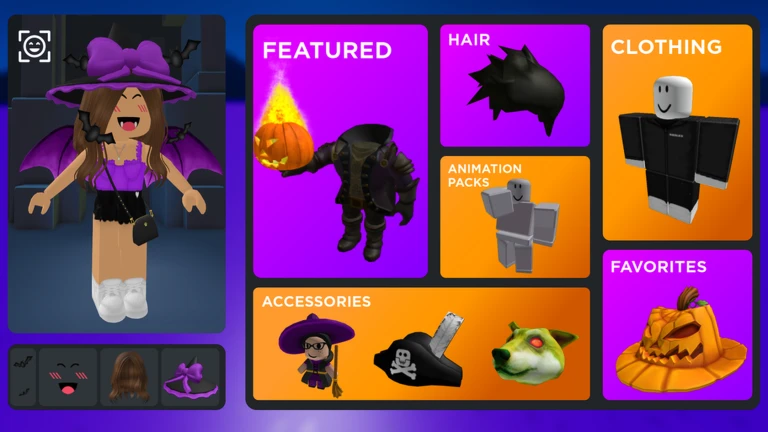
Catalog Avatar Creator lets you try on Roblox items for free before you decide whether to buy them. Start by browsing community outfits, change the pieces you do not like, and only spend Robux on items you have already seen on your avatar. Trying something on does not mean you own it.
This is an avatar editor and not a normal game. Nothing chases you and there is no level to beat, so you can go at your own pace.
Where to find it and how to open it
Catalog Avatar Creator is a free Roblox experience made by @Muneeb, not a menu inside the normal Roblox avatar editor. To open it:
- Open the Roblox app or roblox.com and use the search bar.
- Search for Catalog Avatar Creator.
- Pick the result made by @Muneeb. Other avatar games use similar names, so check the creator name.
- Press Play.
You can also go straight to the official game page. It runs on computers, phones, tablets, consoles and VR headsets, and the game page lists a Roblox Innovation Award for Best Use of Fashion in both 2023 and 2024.
Does Catalog Avatar Creator take Robux?
No, not unless you buy something. Joining, trying items on and saving looks are free. The game only takes Robux when you confirm a Roblox purchase prompt for an item you want to keep.
| Action | Cost |
|---|---|
| Trying on accessories, hats, limiteds, hair combos, bundles and animation packs | Free |
| Browsing community outfits | Free |
| Saving avatars you made in the game | Free |
| Buying an item to keep | Robux |
The official page says anything you buy in the game goes to your Roblox inventory and works in all games. Anything you only tried on stays behind when you leave.
Check the price before you click a buy button. A look made from many items can cost a lot more than it seems, since you pay for every piece you do not own.
How to use it: your first session
- Open Catalog Avatar Creator and let it load.
- Open the community outfits and look for something close to the style you want.
- Try it on, then swap single pieces from the catalog until it feels like yours.
- Save the avatar in the game so you can come back to it.
- Before buying, compare what you already own with what the look needs. You may be able to build most of it for free.
Starting from an outfit is much easier than starting with a blank avatar. The official page says the community library has more than 50 million outfits, so you will likely find a close match.
How to get items to keep
Trying something on is not the same as owning it. There are three ways to end up with something that stays:
- Buy it in the game. Click the buy button on an item and confirm the Roblox purchase prompt. The official page says the item then goes to your Roblox inventory and works in every game, the same as buying from the Marketplace.
- Buy it on the Marketplace later. If you would rather think it over, note the item's name and find it in the Roblox Marketplace. Either way it ends up in the same inventory.
- Redeem a code. Codes are rare and give coins or a small cosmetic, not catalog items you would normally pay for. See the codes section below.
Once you own an item, you can equip it from the Roblox avatar editor like anything else in your inventory.
How to join the Catalog Avatar Creator group
The official game page links to the Catalog Avatar Creator group. Open that link, or find it in the game description, and press the Join button on the group page. The group is one of the places where news and the occasional code show up. If you have reached Roblox's limit on how many groups you can be in, leave one first.
Useful chat commands
The game has about 23 chat commands, and it does not teach them in a tutorial. Click the chat at the top left, type a command, and press Enter. To see the full list in game, type /cmds.
Change your look for this session
| Command | What it does |
|---|---|
/headless |
Headless look |
/korblox |
Korblox right leg |
/korblox2 |
Korblox left leg |
/sshf |
Super Super Happy Face |
/r6 |
Switch to the R6 body type |
/r15 |
Switch to the R15 body type |
These only work during your current session. They do not save to your Roblox avatar editor, so you will not keep Headless or Korblox when you leave. They are good for seeing how a look works with those items.
R6 and R15 are worth testing. Some animations and items can look different on each body type, so check before you buy.
Move between servers
| Command | Where it sends you |
|---|---|
/vip or /private |
A private server |
/public |
A public server |
/main |
The main game server |
/voice |
A voice chat server |
/test |
A test server |
A private server helps when you want to build an outfit or take screenshots without other players walking through your shot.
Handy tools
| Command | What it does |
|---|---|
/speed 50 |
Sets your walk speed to the number you type |
/clone |
Spawns a still copy of your avatar |
/npc |
Spawns a copy that moves around |
/booth |
Spawns a display booth with text you can edit |
/self |
Shows your own Roblox profile |
/ref |
Shows an avatar reference |
/clear |
Clears the chat |
/fps |
Turns the FPS counter on or off |
/portrait |
Turns on portrait mode |
/version |
Shows or hides the version label |
/clone is the most useful one when you are designing a look. It lets you view your outfit from the outside, so you can walk around it and see how the back looks.
This command list comes from a community wiki last updated in August 2026. If one does not work, type /cmds to see the current list.
Coins and codes
The game also has Gold Coins and Silver Coins. A community site describes Gold as the premium coin used for exclusive items, and Silver as the common one. We could not confirm how each is spent, so check the in-game shop for current prices.
Codes are typed in chat with /redeem, then a space and the code. They are rare, and lists do not agree on whether the known ones still work, so do not count on them.
Star Rewards
An older guide from December 2023 described Star Rewards, a points system for time spent in servers that could be traded for free UGC items. We could not confirm that it still runs, so treat it as a bonus if you see the icon when you join.
Limited-time items
The game often runs events and brand tie-ins. A community calendar shows past ones such as an Avatar Makeup event in April 2026 and an official Arsenal UGC event in August 2025. These come and go, so if a limited item matters to you, look for it while the event is on.
Staying safe with your Robux
- Only buy through the game's own purchase prompt or the official Roblox Marketplace.
- Do not trust anyone offering free Robux, free limiteds or cheap items through outside sites. Those offers are a common way to lose an account.
- Never share your password or a login code with another player.
- Read the name and price on the prompt before you confirm, because a purchase is hard to undo.
- Keep in mind that other players can see your avatar and talk in public servers. Use
/privateif you want to work alone.
Frequently asked questions
Does Catalog Avatar Creator take Robux?
Only when you buy something. Joining, trying items on, browsing outfits and saving looks are free, and Robux is only spent after you confirm a Roblox purchase prompt.
Where do you find Catalog Avatar Creator?
Search for Catalog Avatar Creator in the Roblox app or on roblox.com and pick the game made by @Muneeb. It is a separate experience, not part of the normal avatar editor.
How do you open Catalog Avatar Creator?
Open its game page and press Play, the same as any Roblox experience. It works on computer, phone, tablet, console and VR.
Do you keep the items you try on?
No. Anything you only tried on disappears when you leave. Items you buy go to your Roblox inventory and can be worn in all games.
How do you get items in Catalog Avatar Creator?
Click the buy button on the item and confirm the purchase prompt, which costs Robux. The item lands in your inventory, and you then equip it in the Roblox avatar editor.
How do you join the Catalog Avatar Creator group?
Open the group link on the official game page and press Join. The group shares news and has carried codes in the past.
Is Headless free in Catalog Avatar Creator?
Only for that session. The /headless command lets you see the look while you play, but it does not give you the item or save it to your avatar.